
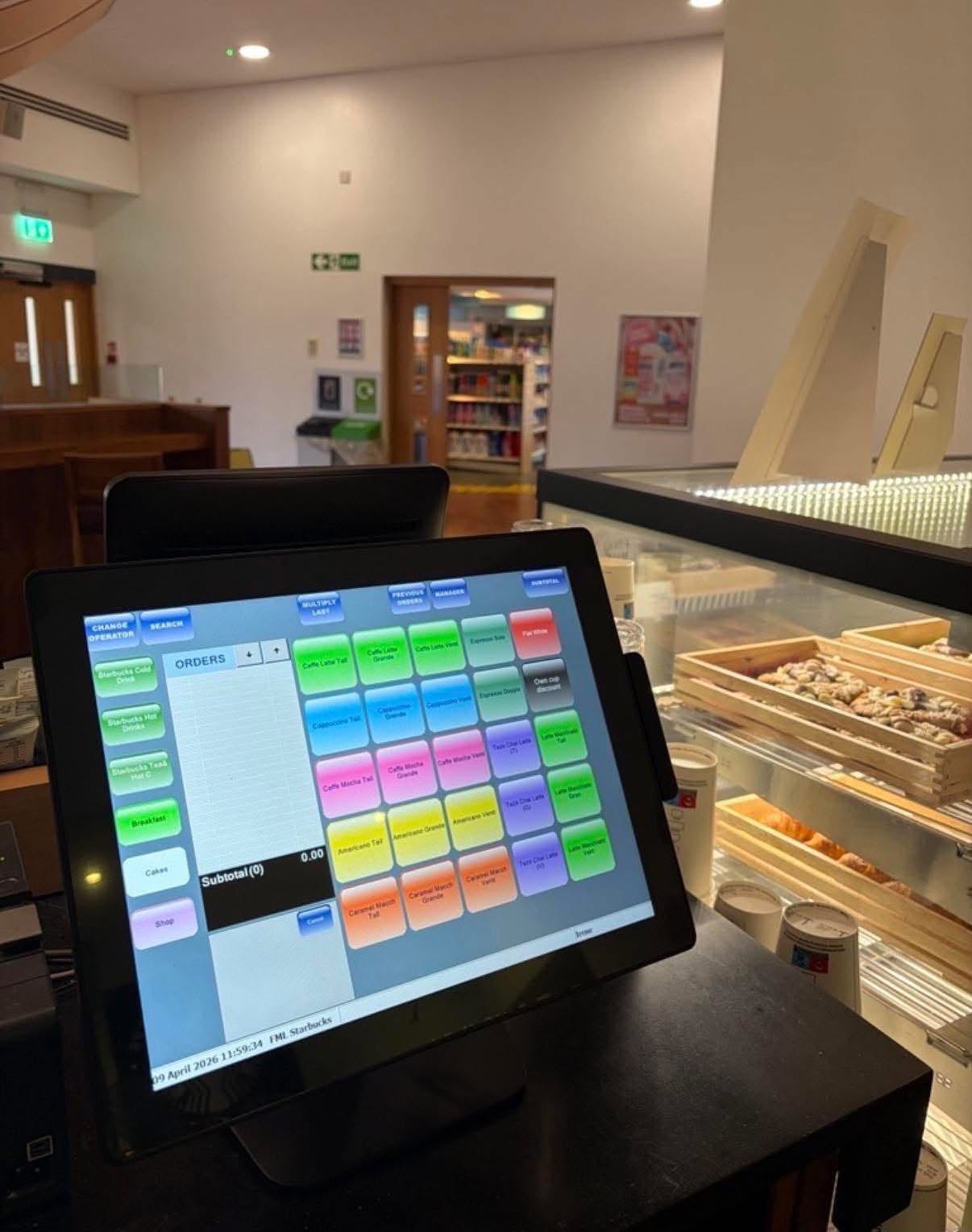
Choosing a new EPOS system is a significant decision for any business. Whether you run a restaurant, pub, hotel, café, school, college or other catering operation, the right EPOS system can make day-to-day operations easier, improve customer service and give you better control over sales and performance.
Thinking about investing in a new EPOS system?
The headline price is only one part of the decision. Usability, integrations, reporting, payment options, support and long-term scalability can all have a significant impact on your operation.
But with so many systems, features and providers available, knowing what to look for can be challenging.
Before committing to an EPOS system, use this checklist to ensure you’re asking the right questions and choosing a solution that will support your business now and in the future.
1. Is it designed for your type of business?
Not all EPOS systems are created for the same environment.
A restaurant may need table management and kitchen integration, while a pub might prioritise fast service across multiple tills. A school or college may have completely different requirements, including cashless catering, student accounts and managing busy lunchtime periods.
Start by identifying the specific requirements of your sector and look for an EPOS provider with experience in businesses and education settings like yours.
Ask: Does the supplier understand my industry and the way my business operates?
2. Is it easy for staff to use?
An EPOS system should make life easier for your team — not create another complicated process for them to learn.
Consider how intuitive the interface is and how quickly new employees can become comfortable using it. This is particularly important in hospitality, where staff turnover can be high, and in education catering, where large numbers of transactions may need to be processed quickly.
Ask: How much training will staff need before they can confidently use the system?
3. Can it cope with busy periods?
An EPOS system needs to perform when your business is at its busiest.
For a restaurant, that might mean a packed Friday evening. For a school or college, it could mean hundreds of transactions during a short lunchtime window.
Look for a system that can process transactions quickly and reliably without creating unnecessary queues.
Ask: How does the system perform during peak trading periods?
4. Does it support your payment methods?
Customers increasingly expect flexibility when paying.
Your EPOS system should work with the payment methods your customers use, whether that’s contactless payments, cards, mobile payments or other supported options.
For education providers, payment requirements can be more complex, with systems potentially needing to support closed-loop cashless catering and student or staff accounts.
Ask: Which payment methods and payment providers are supported?
5. Can it integrate with other systems?
Your EPOS system shouldn’t have to operate in isolation.
Integration with other software and hardware can help reduce manual data entry, prevent errors and create a more efficient operation.
Depending on your business, useful integrations or additional modules could include:
- Payment systems
- Kitchen display systems
- Financial software
- Stock management
- Cloud ticketing
- Customer loyalty systems
- Cashless catering
- Student or staff payment systems
- Back-office reporting
- Self-service points (Order & Pay or Grab & Go)
Ask: What integrations are available, and are there additional costs for them?
6. Does it provide useful reporting?
One of the biggest advantages of modern EPOS technology is the information it can provide.
Rather than simply processing transactions, your system should help you understand what’s happening in your business.
Useful reports might include:
- Sales performance
- Best-selling products
- Sales by time or location
- Staff performance
- Stock usage
- Transaction history
- Payment information
- Product margins
- Cashless transaction report
For schools and colleges, reporting can also help catering teams understand demand and make better decisions about menus, purchasing and staffing.
Ask: Can I access the reports I need without relying on the supplier?
7. Can you manage products and menus easily?
Your products, prices and menus will inevitably change.
Make sure your EPOS system makes it straightforward to add products, change prices, update menus and manage different locations or outlets.
For hospitality businesses, this can be particularly useful when menus change seasonally or when promotions are introduced.
For education catering, you may need to manage different menus, meal options and pricing structures.
Ask: How easy is it to make changes to products, prices and menus?
8. Does it help you manage stock?
If your business sells food and drink, stock management can have a major impact on profitability.
An EPOS system that provides stock information can help you understand what you’re selling, identify popular products and reduce unnecessary waste.
The level of stock functionality you’ll need will depend on your operation, so establish exactly what the system can and cannot do.
Ask: Can the EPOS system track stock and help identify waste or discrepancies?
9. Can it grow with your business?
Your business may look very different in three or five years.
You might open another restaurant, add a new catering outlet, introduce online ordering or expand your school or college catering operation.
Choosing a system that can scale means you won’t necessarily have to start the selection process again when your requirements change.
Ask: Can the system support additional tills, sites, users and functionality as we grow?
10. Is it suitable for multiple sites or outlets?
If you operate multiple locations, centralised management can be extremely valuable.
A suitable EPOS system may allow you to manage products, prices, reporting and other information across multiple sites while still giving individual locations the functionality they need.
For education organisations, this could mean managing several catering outlets across a school, college or university campus.
Ask: Can I manage multiple locations from one system?
11. What happens if something goes wrong?
EPOS is often mission-critical. If the system stops working during a busy service, the consequences can be significant.
Before buying, find out what support is available and how quickly you can expect help if something goes wrong.
Consider:
- Support hours
- Telephone support
- Remote support
- On-site assistance
- Response times
- Hardware replacement
- Software updates
- Emergency support
Ask: Who do I contact if the system stops working, and how quickly can I expect a response?
12. What hardware is required?
Don’t focus solely on the software.
Your EPOS setup could involve tills, touchscreen terminals, receipt printers, cash drawers, barcode scanners, kitchen displays, customer-facing displays and payment terminals.
Make sure you understand exactly what hardware is required and whether it is supplied, installed and supported by the EPOS provider.
Ask: What hardware do I need, and who is responsible for installing and supporting it?
13. Is the system secure?
Your EPOS system will process commercially sensitive information and potentially customer payment data.
Security should therefore be an important part of your buying decision.
Ask prospective suppliers about security measures, user permissions, software updates, backups and how access to the system is controlled.
Ask: How is the system protected, and how are user permissions managed?
14. What is the total cost of ownership?
The headline price isn’t necessarily the total cost of an EPOS system.
When comparing suppliers, consider all potential costs, including:
- Hardware
- Software licences
- Installation
- Training
- Support
- Payment processing fees
- Integrations
- Software upgrades
- Additional users or terminals
- Replacement hardware
Ask suppliers to provide a clear breakdown so you can compare like for like.
Ask: What will the total cost of ownership be over the first three to five years?
15. Will the supplier support you after installation?
Buying an EPOS system isn’t the end of the process.
A good implementation should include installation, configuration, training and ongoing support. Your supplier should understand how your business operates and help you get the most from your investment.
This is particularly important if you’re moving from an older EPOS system or introducing new technology across several locations.
Ask: What does ongoing support look like after the system has been installed?
Your EPOS Buying Checklist
Before choosing a system, make sure you can answer “yes” to the following:
- The system is suitable for my industry
- It is easy for staff to use
- It can cope with busy periods
- It supports the payment methods I need
- It integrates with my other systems
- It provides useful reporting
- Products and menus are easy to manage
- It offers the stock management functionality I need
- It can grow with my business
- It supports multiple sites or outlets if required
- Reliable technical support is available
- The required hardware is suitable and future-proofed
- Security and user permissions are properly addressed
- I understand the total cost
- The supplier offers ongoing support and training
Choosing the Right EPOS Partner
The right EPOS system should do more than process transactions. It should help your business operate more efficiently, provide useful information and adapt as your requirements change.
That’s why choosing the right EPOS partner is just as important as choosing the technology itself.
At Haven Systems, we provide EPOS solutions for businesses and organisations across the UK, with particular experience in the education and hospitality sectors. We understand that a school catering operation has very different requirements from a restaurant, pub or hotel — and the right solution needs to reflect those differences.
If you’re considering replacing your existing EPOS system or installing one for the first time, we’d be happy to discuss your requirements and help you understand what options are available.